Numpy
Table of Contents
| Topics 1-10 | Topics 11-20 |
|---|---|
| 1. Introduction to NumPy | 11. Linear Algebra |
| 2. Installation and Setup | 12. Random Numbers |
| 3. NumPy Arrays (ndarray) | 13. Statistical Functions |
| 4. Array Creation | 14. Array Iteration |
| 5. Array Attributes | 15. Sorting and Searching |
| 6. Array Indexing and Slicing | 16. File I/O |
| 7. Array Operations | 17. Performance and Optimization |
| 8. Mathematical Functions | 18. Best Practices |
| 9. Array Manipulation | 19. Common Use Cases for Data Engineering |
| 10. Broadcasting | 20. Resources |
1. Introduction to NumPy
What is NumPy?
- NumPy (Numerical Python) is the fundamental package for scientific computing in Python. It provides support for large, multi-dimensional arrays and matrices, along with a collection of mathematical functions to operate on these arrays efficiently.
Key Features
-
N-dimensional array object (ndarray): Fast and versatile
-
Broadcasting functions: Operations on arrays of different shapes
-
Linear algebra operations: Matrix operations, decompositions
-
Random number generation: Various distributions
-
Fourier transforms: Signal processing
-
Integration with C/C++/Fortran: Easy to extend
-
Memory efficiency: Compact storage compared to Python lists
Why Use NumPy?
-
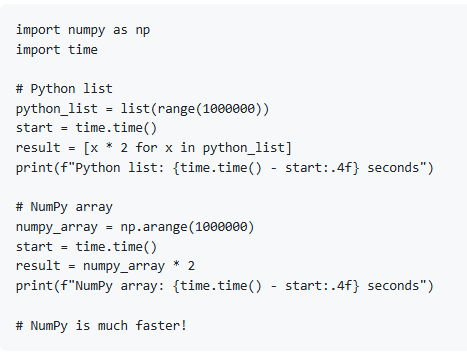
Performance: 10-100x faster than pure Python loops
-
Memory efficient: Arrays use less memory than lists
-
Vectorization: Write clean, readable code without explicit loops
-
Foundation: Used by Pandas, SciPy, scikit-learn, TensorFlow, etc.
-
Broadcasting: Elegant handling of operations on different-sized arrays
-
Rich functionality: Comprehensive mathematical and statistical functions
NumPy vs Python Lists
2. Installation and Setup
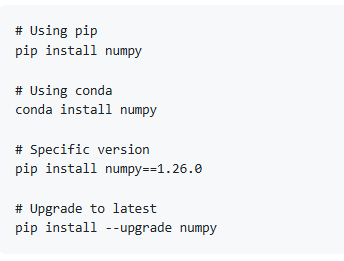
Installing NumPy
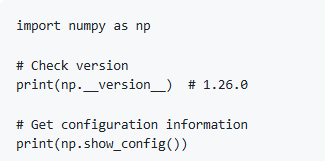
Importing NumPy
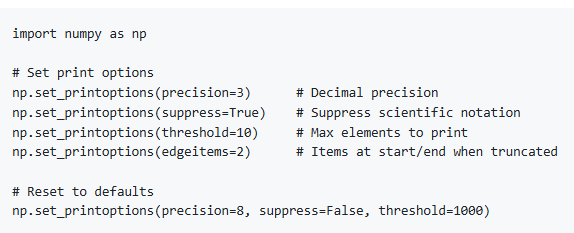
Setting Display Options
3. NumPy Arrays (ndarray)
What is an ndarray?
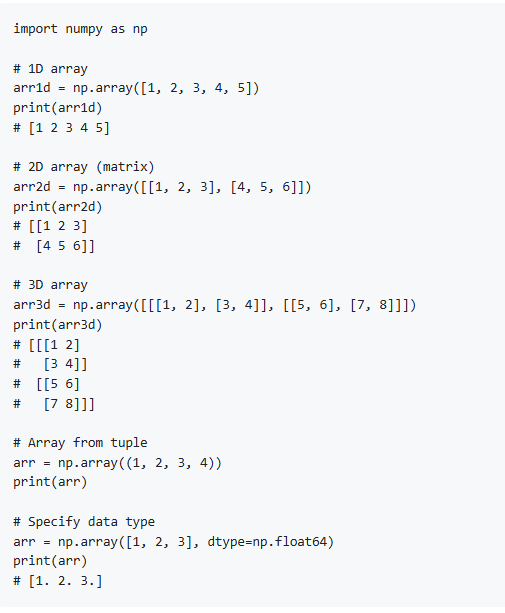
An ndarray (N-dimensional array) is NumPy's core data structure - a grid of values of the same type, indexed by a tuple of non-negative integers.
Creating Basic Arrays
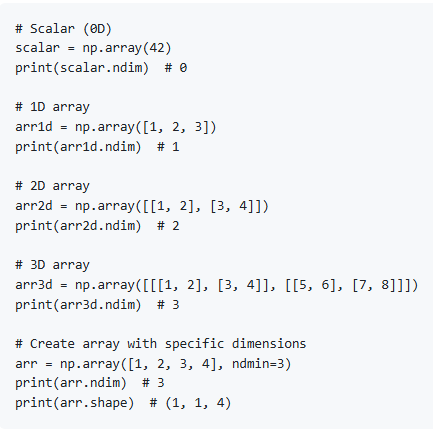
Array Dimensions
4. Array Creation
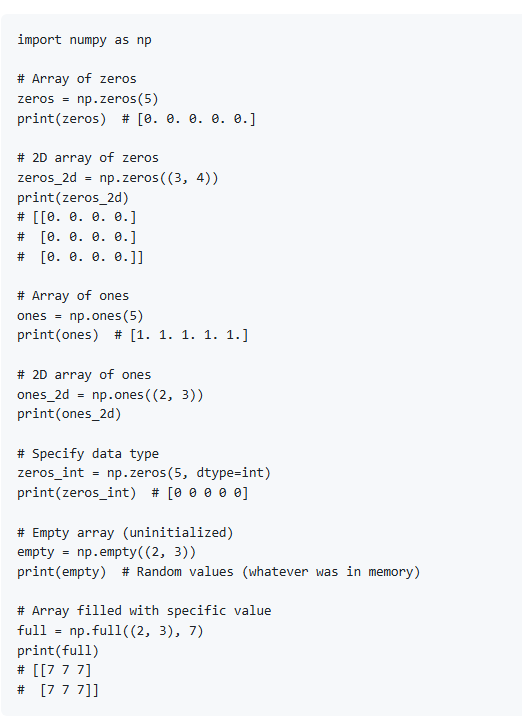
Zeros, Ones, and Empty
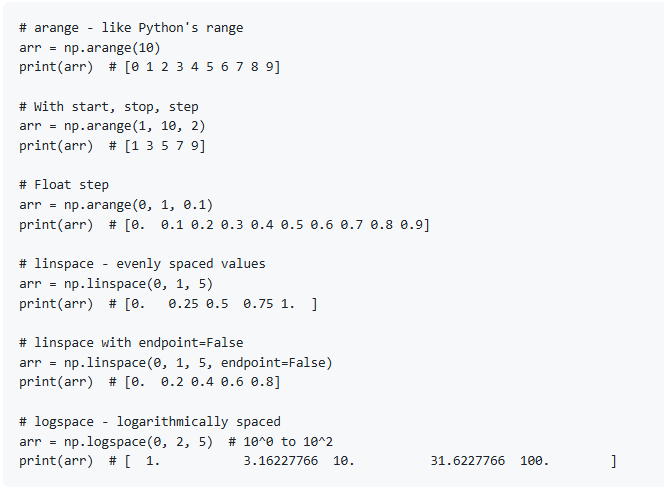
Range and Linspace
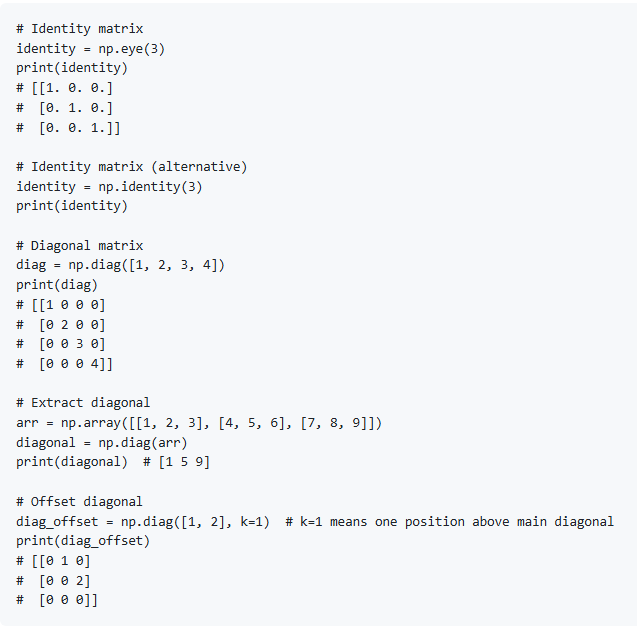
Identity and Diagonal Matrices
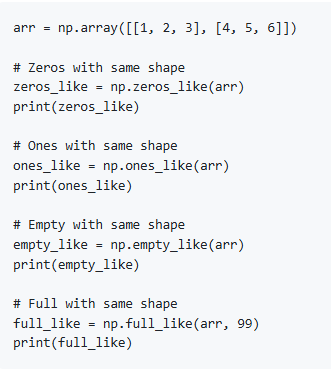
Creating Arrays Like Others
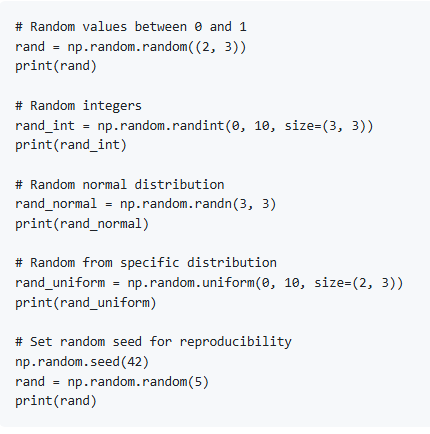
Random Arrays
5. Array Attributes
Shape and Size
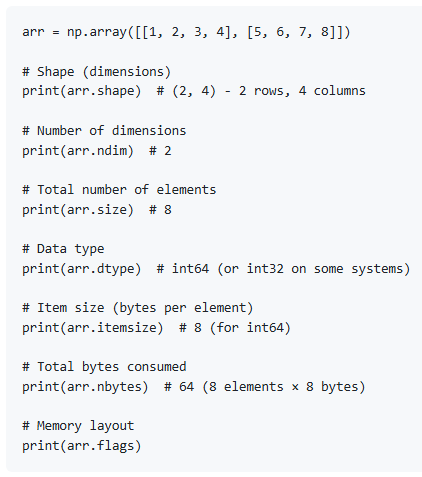
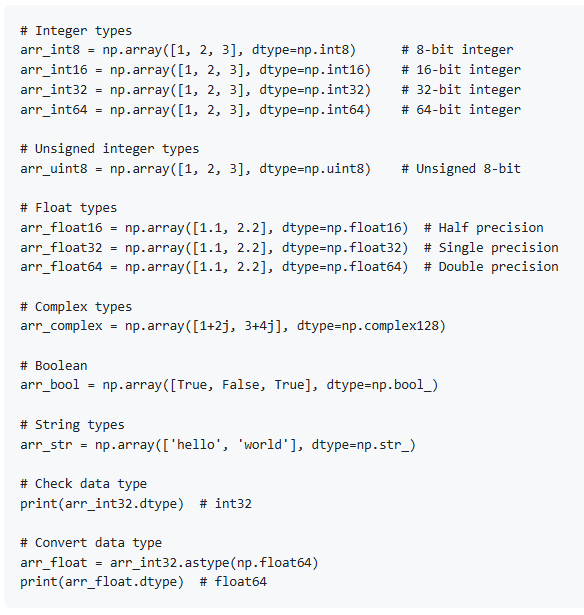
Data Types
6. Array Indexing and Slicing
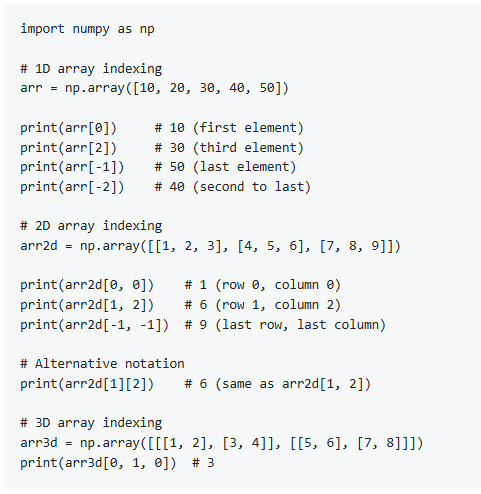
Basic Indexing
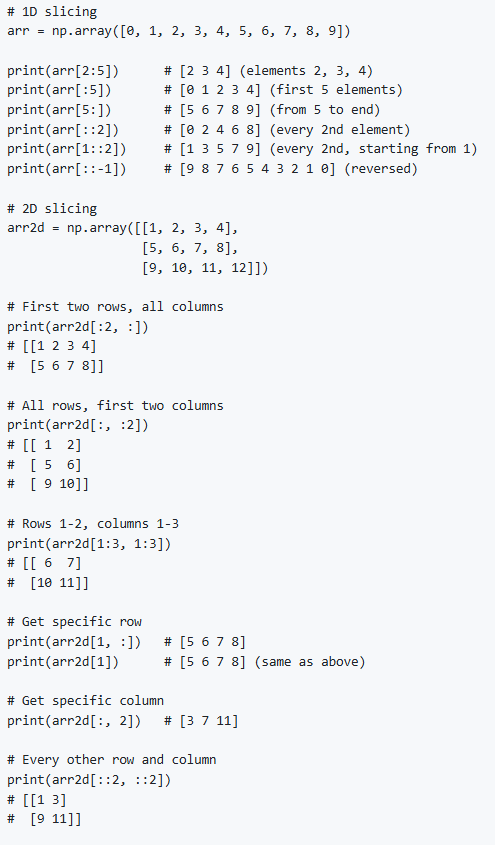
Slicing
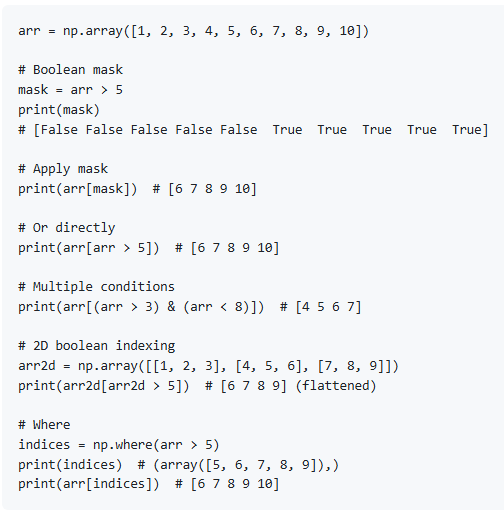
Boolean Indexing
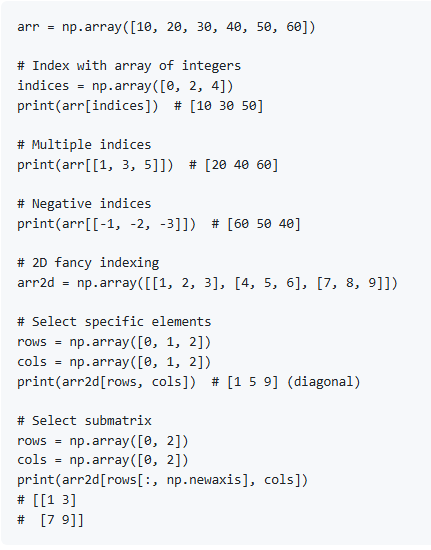
Fancy Indexing
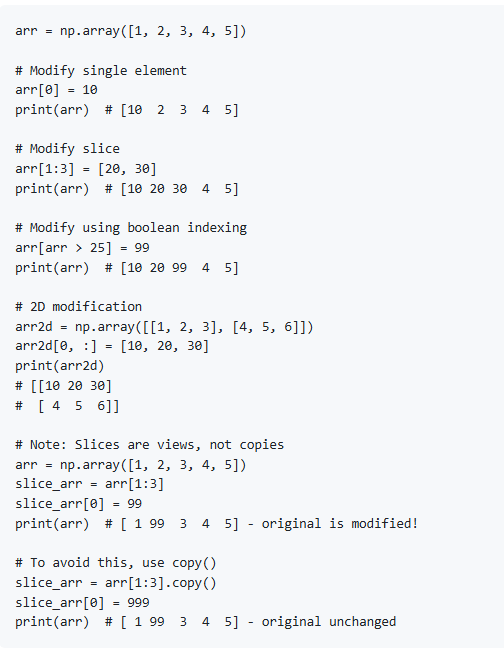
Modifying Array Values
7. Array Operations
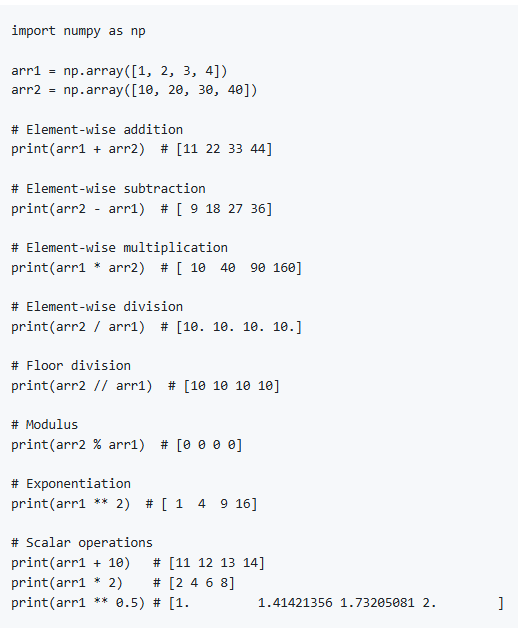
Arithmetic Operations
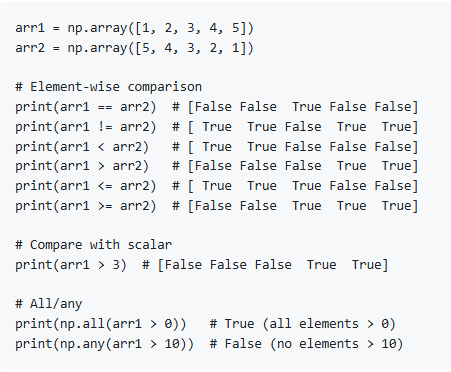
Comparison Operations
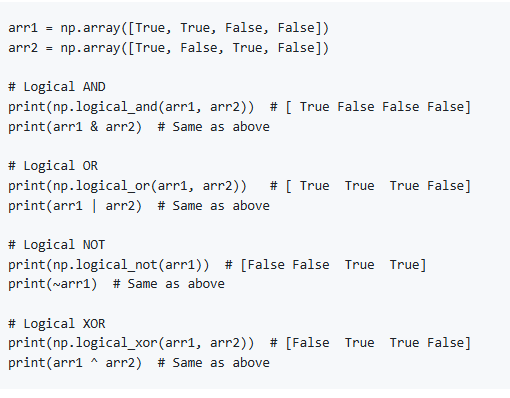
Logical Operations
Universal Functions (ufuncs)
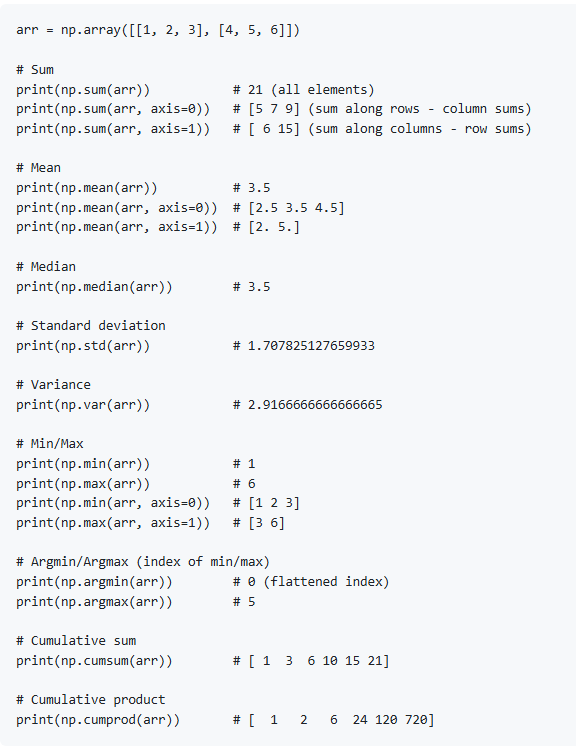
Aggregation Functions
8. Mathematical Functions
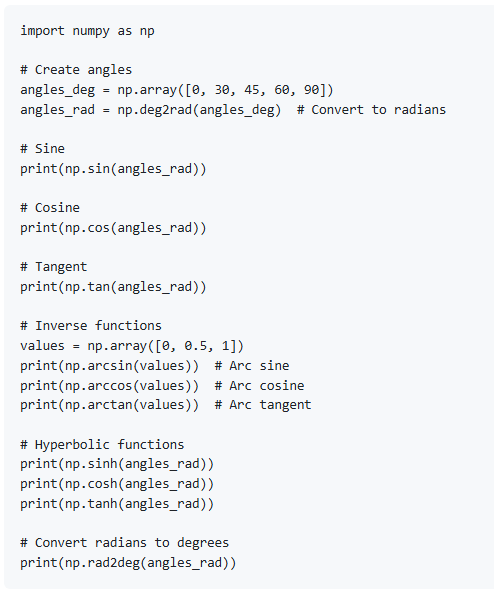
Trigonometric Functions
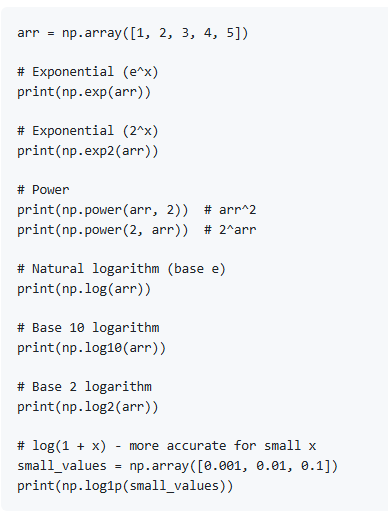
Exponential and Logarithmic
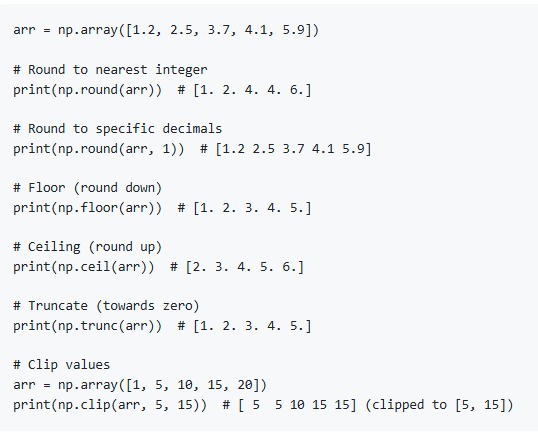
Rounding and Clipping
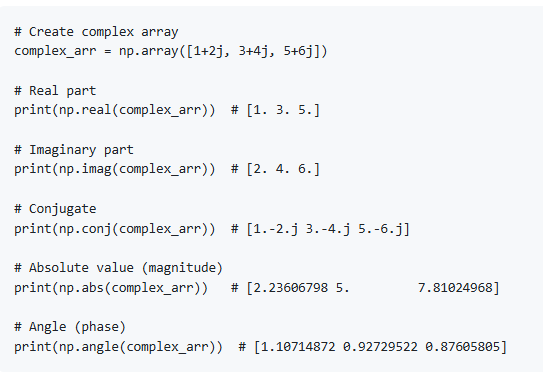
Complex Numbers
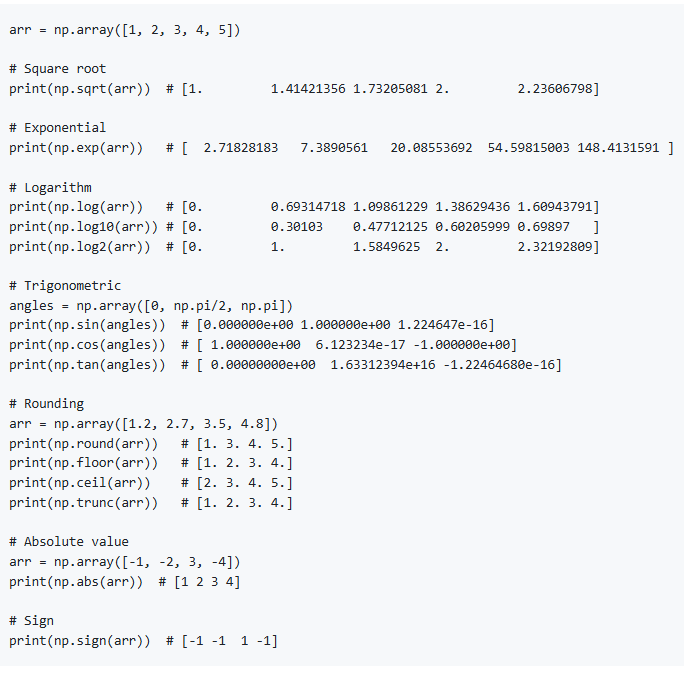
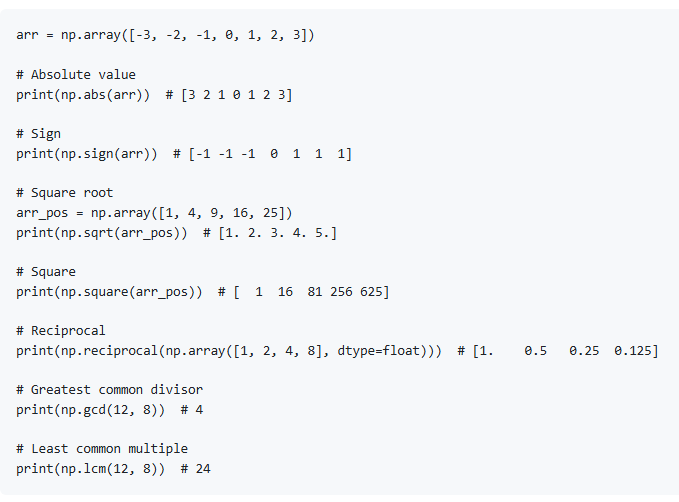
Miscellaneous Math Functions
9. Array Manipulation
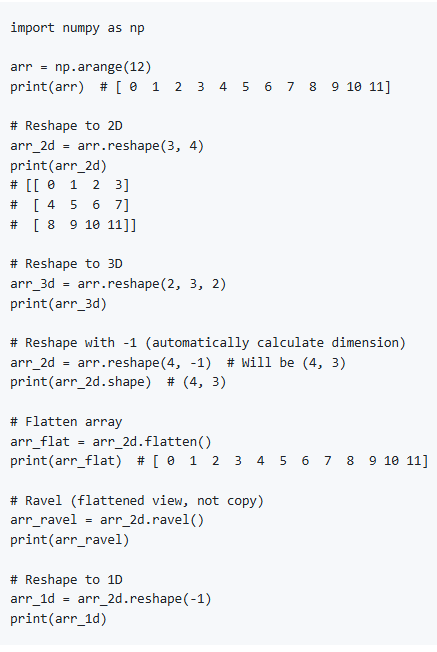
Reshaping Arrays
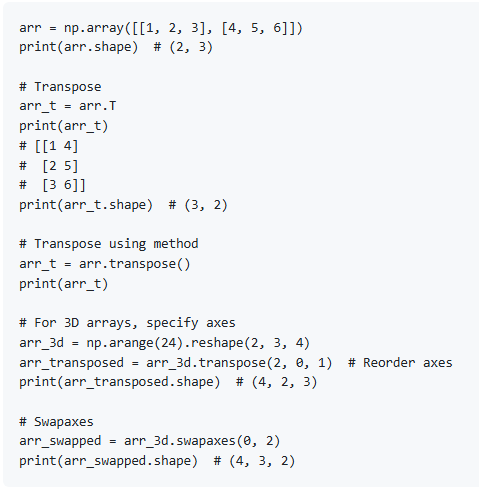
Transposing
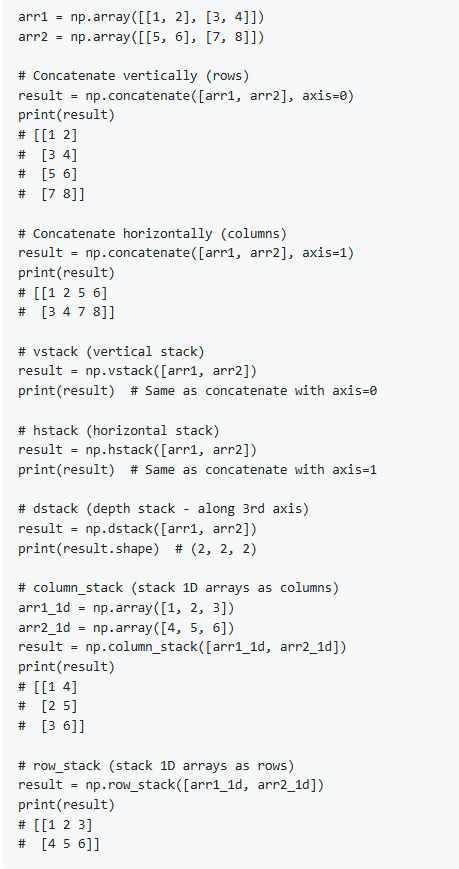
Concatenating Arrays
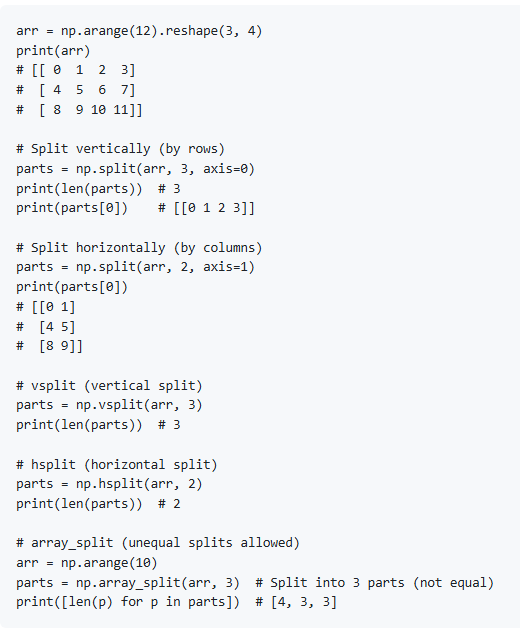
Splitting Arrays
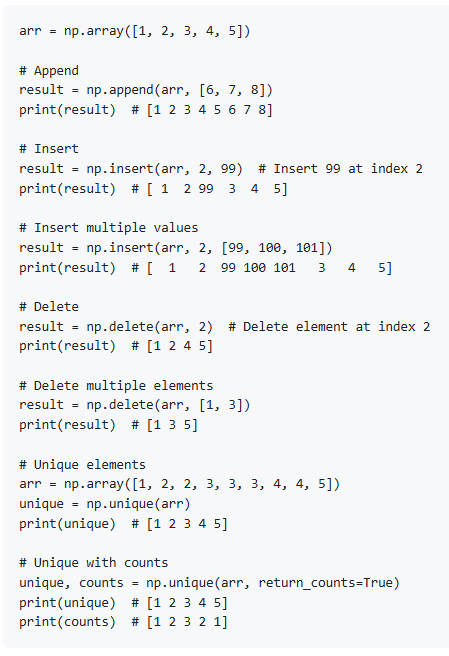
Adding/Removing Elements
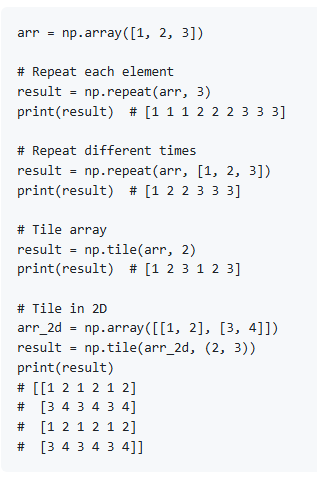
Repeating and Tiling
10. Broadcasting
What is Broadcasting?
Broadcasting allows NumPy to perform operations on arrays of different shapes. The smaller array is "broadcast" across the larger array.
Broadcasting Rules
If arrays have different numbers of dimensions, pad the smaller shape with ones on the left
Arrays are compatible if dimensions are equal or one of them is 1
After broadcasting, each array behaves as if it had shape equal to element-wise maximum
Simple Broadcasting Examples
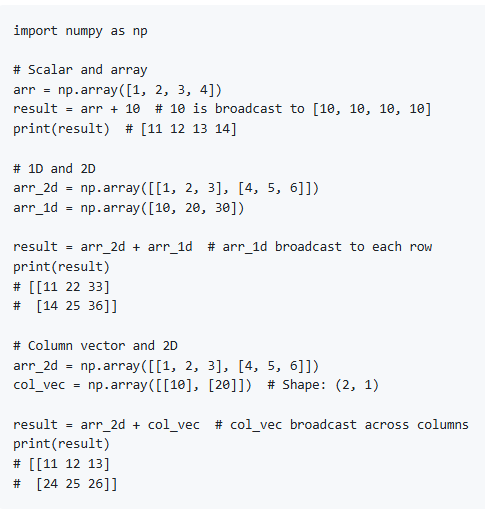
Broadcasting Visualized
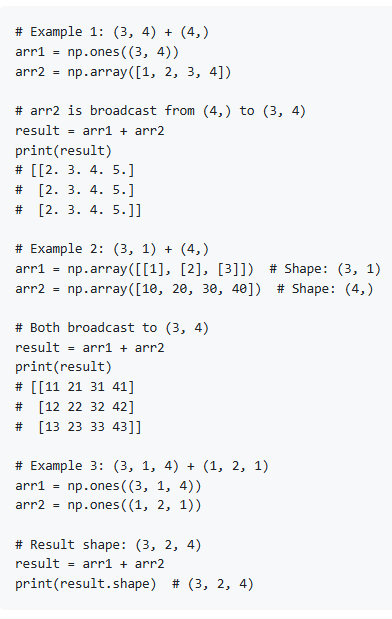
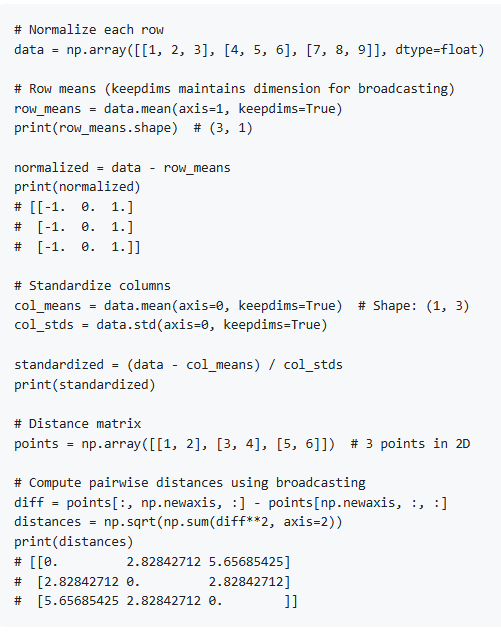
Practical Broadcasting Examples
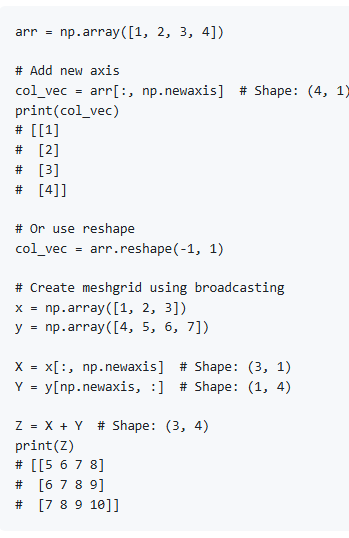
newaxis for Broadcasting
11. Linear Algebra
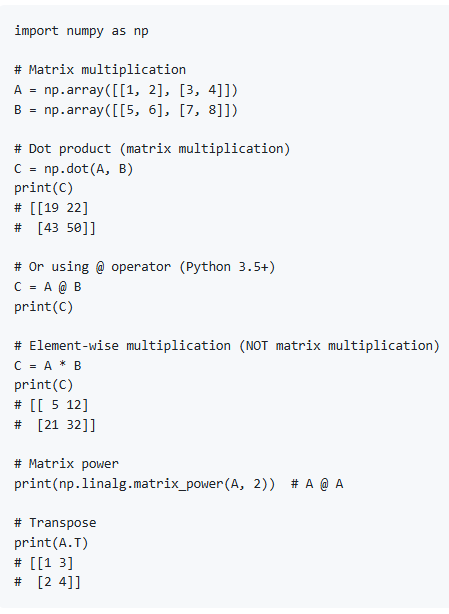
Matrix Operations
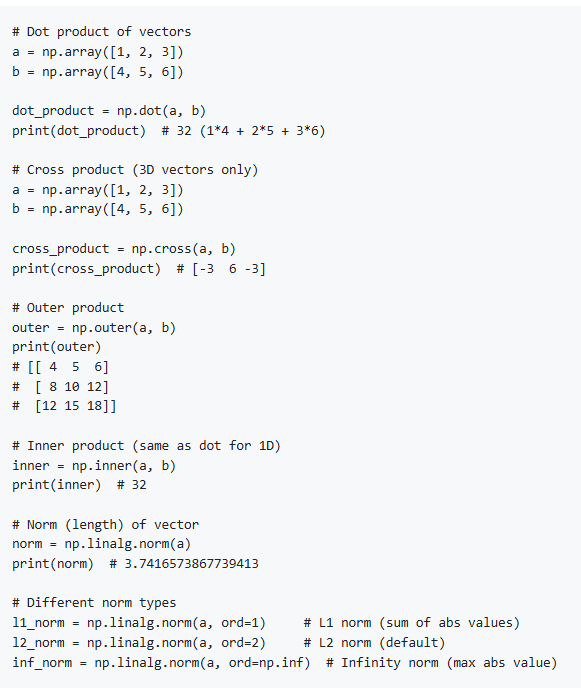
Vector Operations
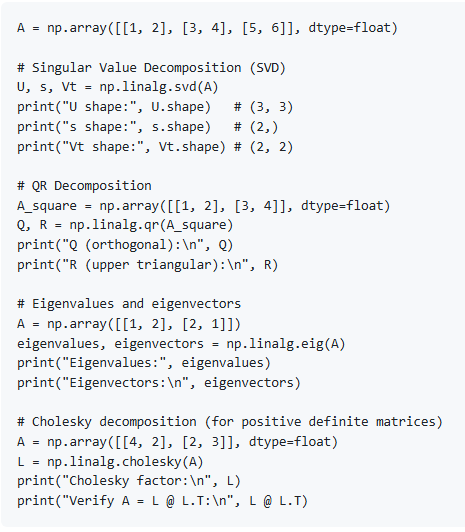
Matrix Decompositions
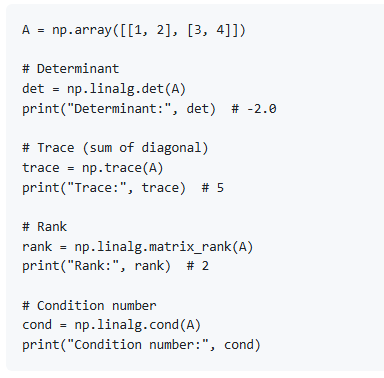
Matrix Properties
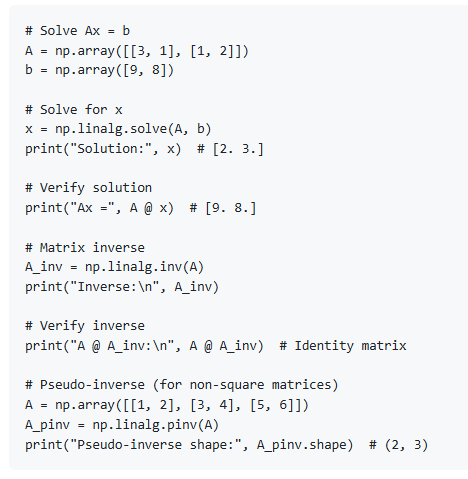
Solving Linear Systems
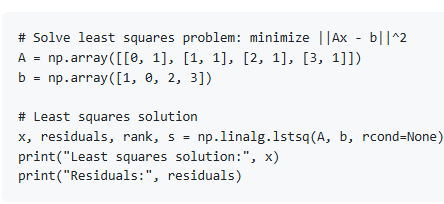
Least Squares
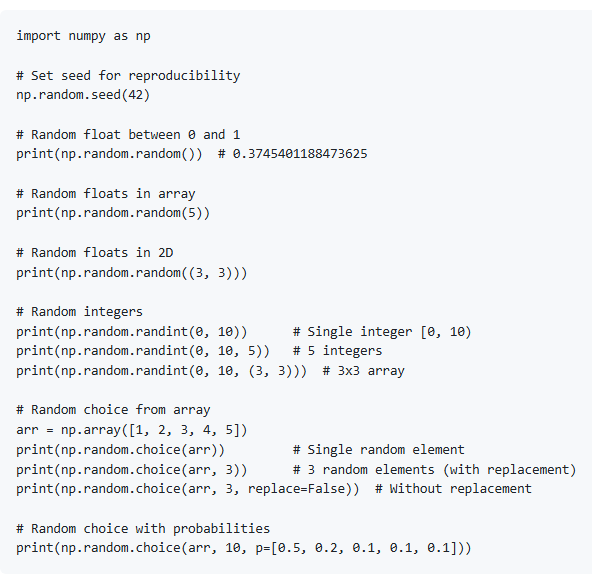
12. Random Numbers
Random Number Generation
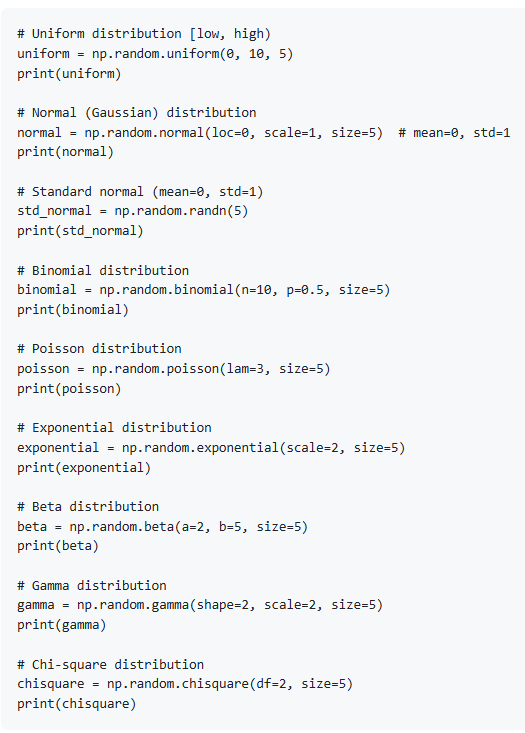
Random Distributions
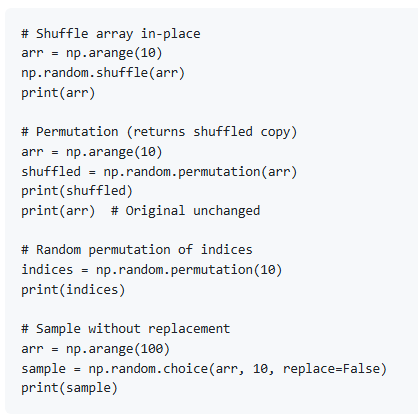
Random Sampling
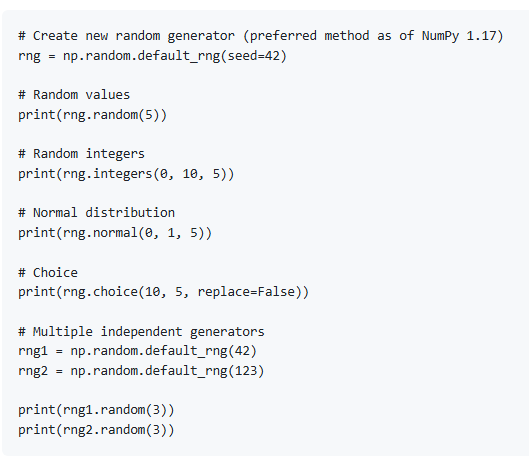
New Random Generator (Recommended)
13. Statistical Functions
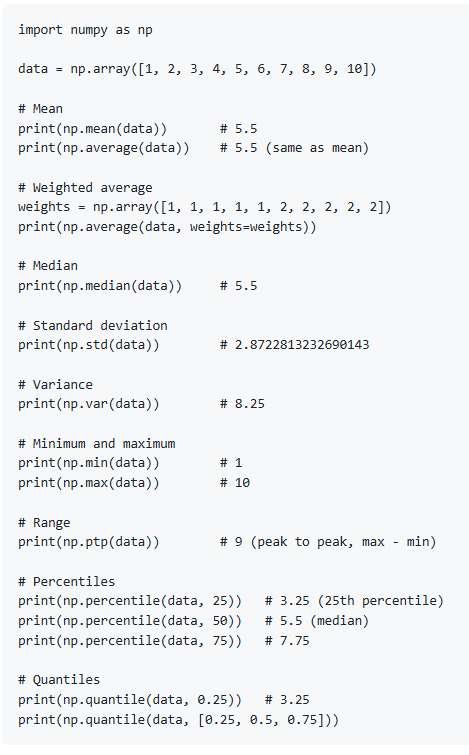
Basic Statistics
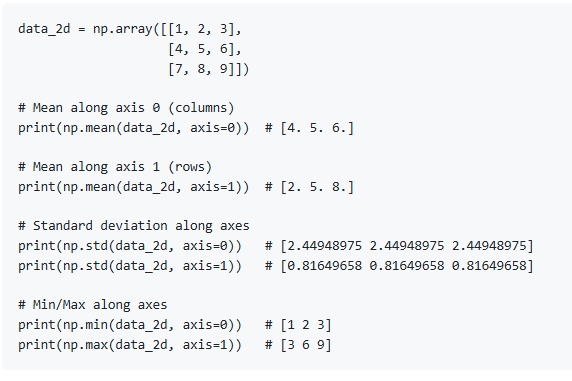
Statistics Along Axes
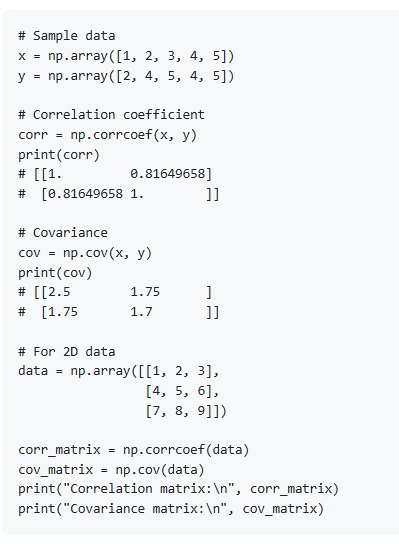
Correlation and Covariance
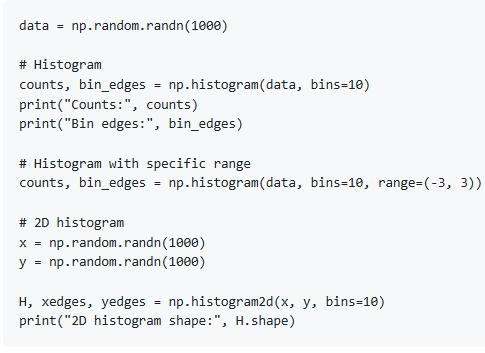
Histogram
Advanced Statistics
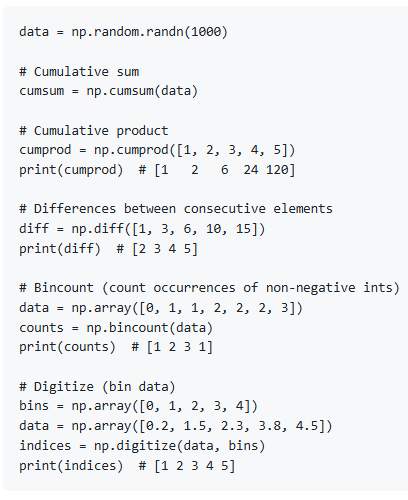
14. Array Iteration
Basic Iteration
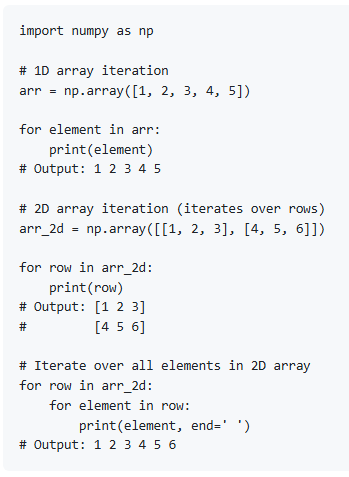
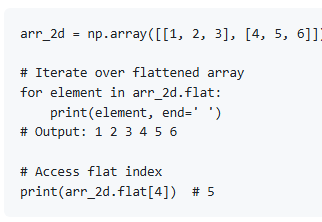
Flat Iterator
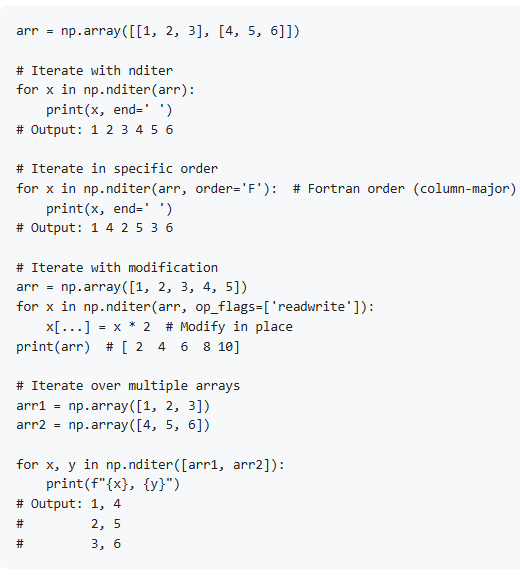
nditer - Advanced Iteration
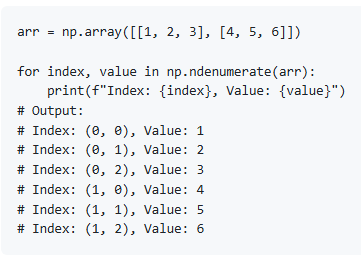
ndenumerate - Iterate with Indices
15. Sorting and Searching
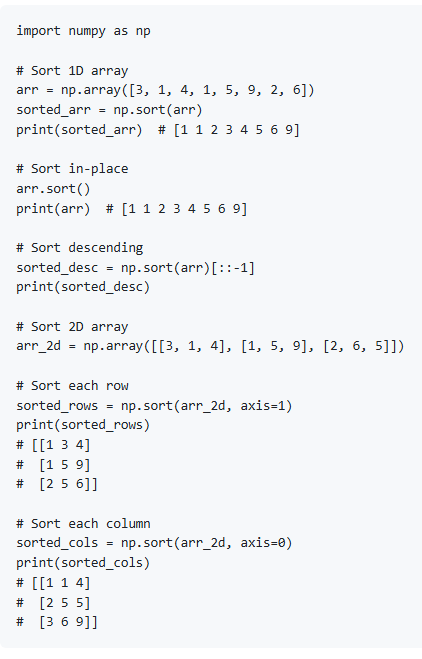
Sorting
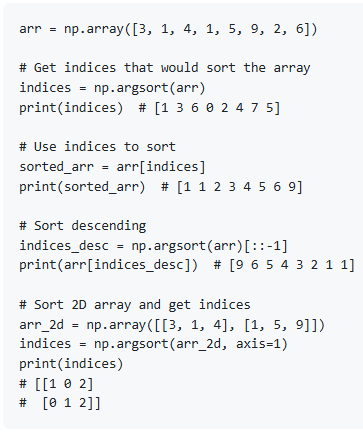
Argsort - Sort Indices
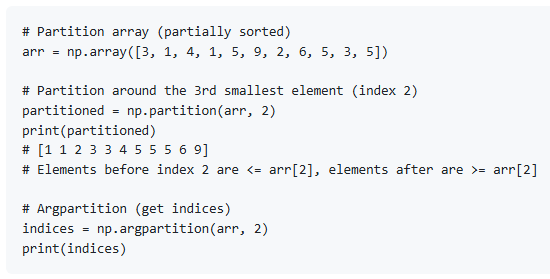
Partition
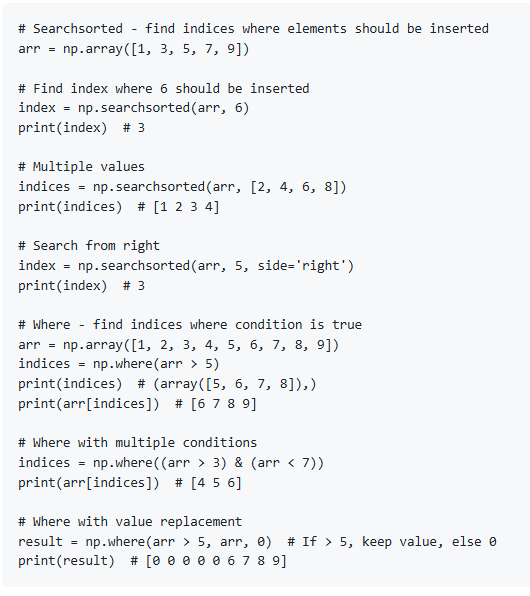
Searching
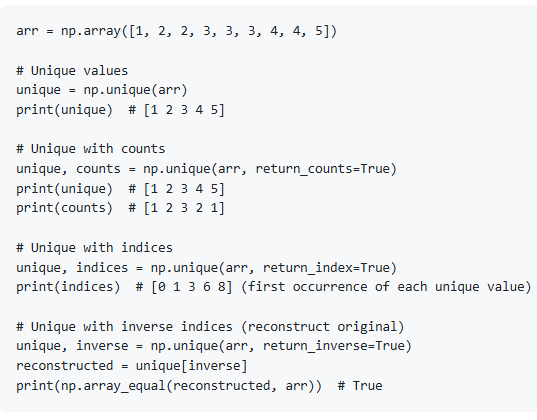
Finding Unique and Counts
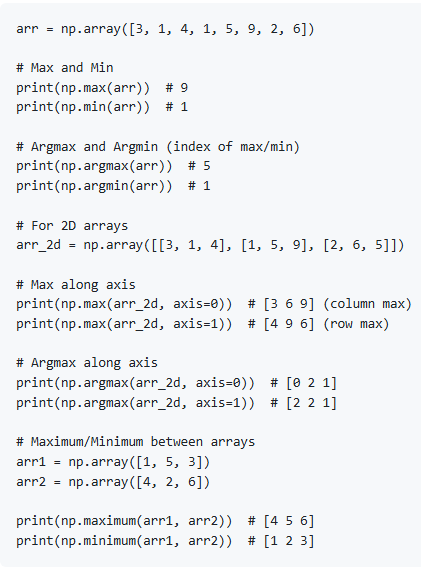
Maximum and Minimum
16. File I/O
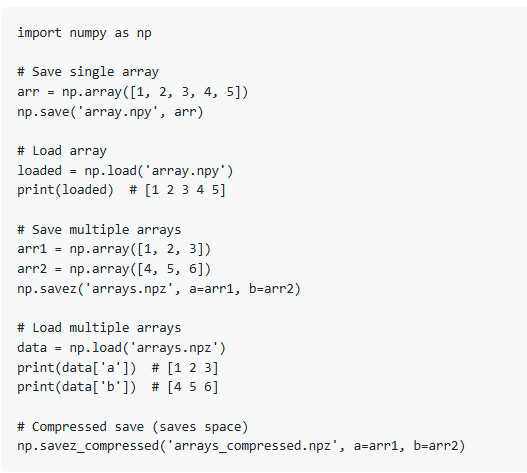
Saving and Loading Binary Files
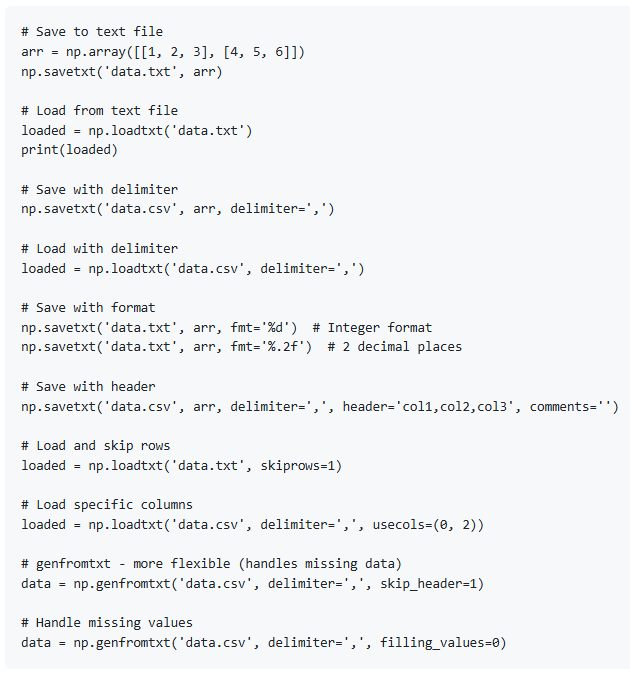
Text Files
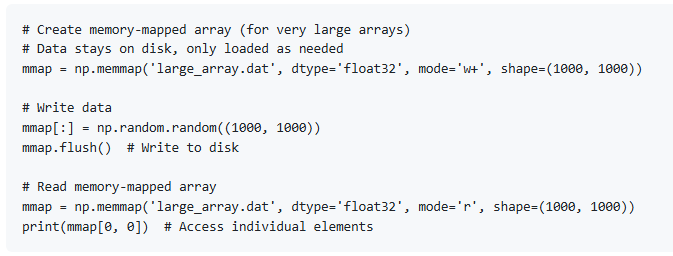
Memory-Mapped Files
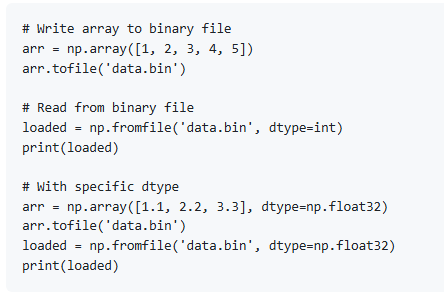
tofile and fromfile
17. Performance and Optimization
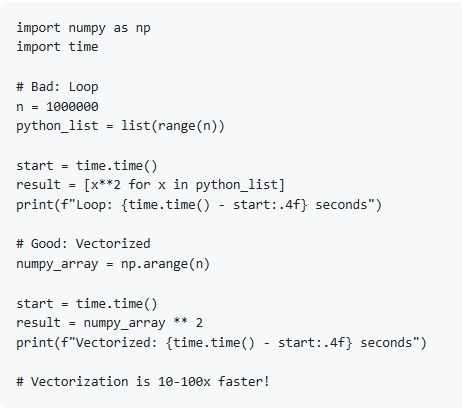
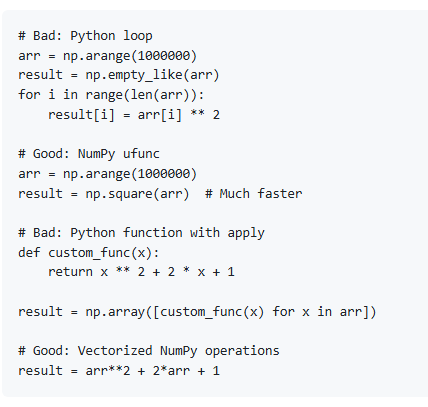
Vectorization
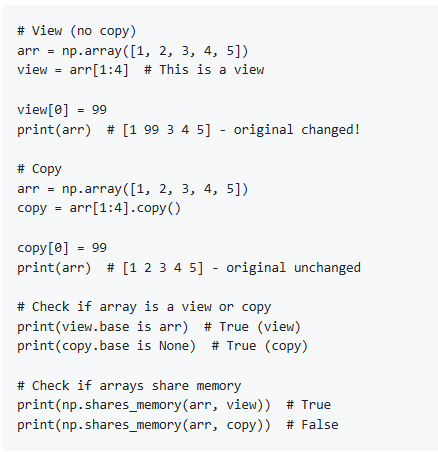
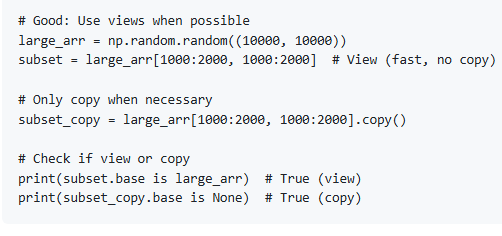
Memory Views and Copies
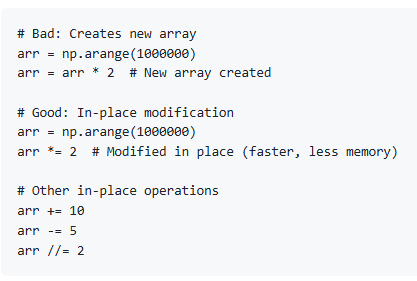
In-Place Operations
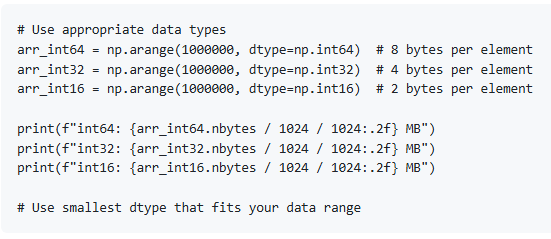
Data Type Optimization
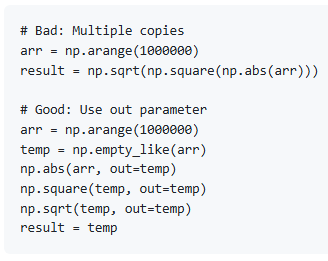
Avoid Array Copies
Use Universal Functions (ufuncs)
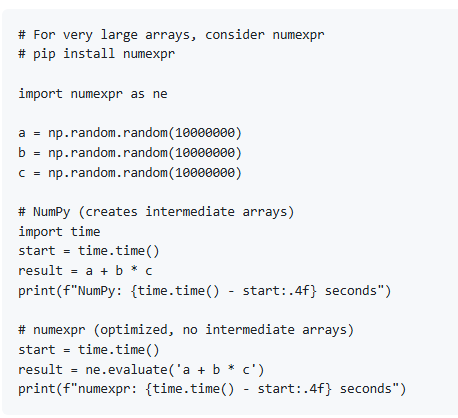
Parallel Operations with numexpr
18. Best Practices
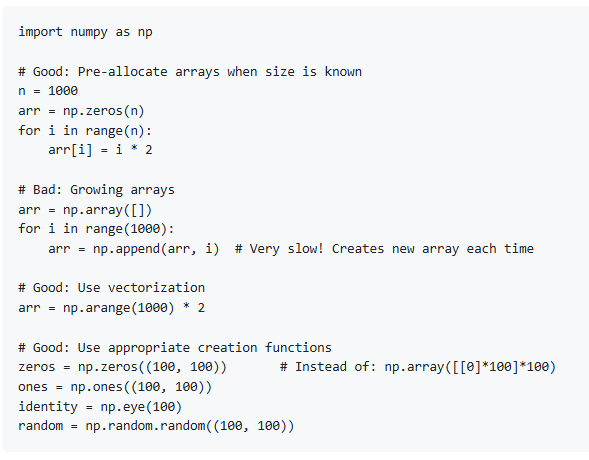
Array Creation Best Practices
Avoid Unnecessary Copies
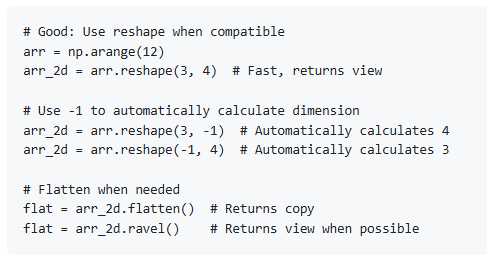
Proper Reshaping
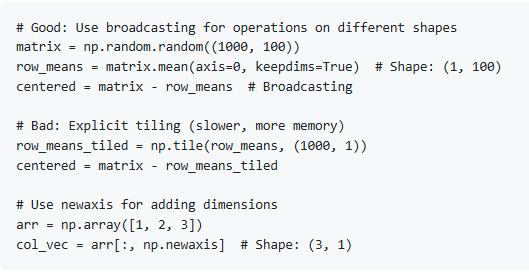
Broadcasting Best Practices
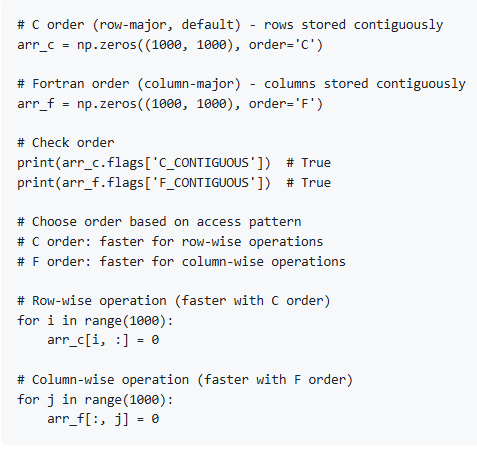
Memory Layout (C vs Fortran Order)
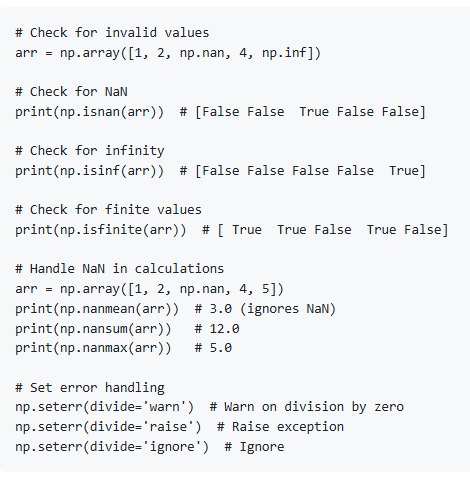
Error Handling
Documentation and Comments
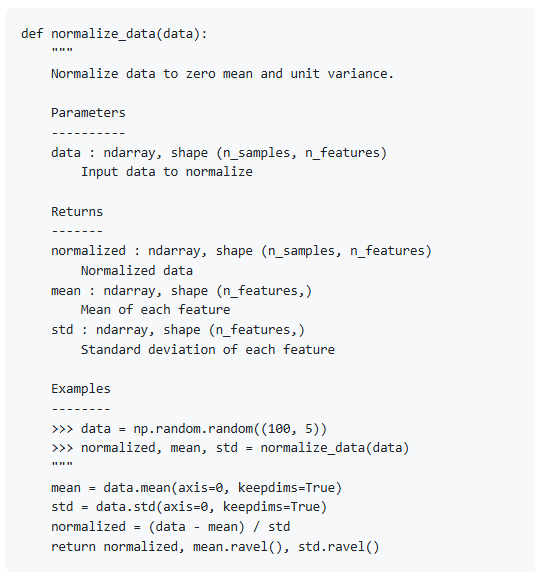
19. Common Use Cases for Data Engineering
Data Preprocessing
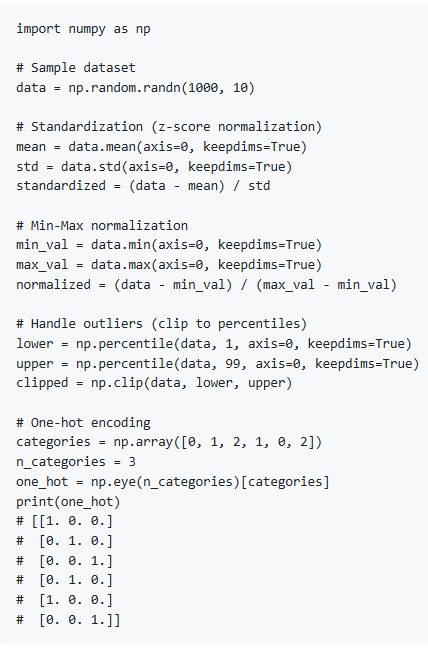
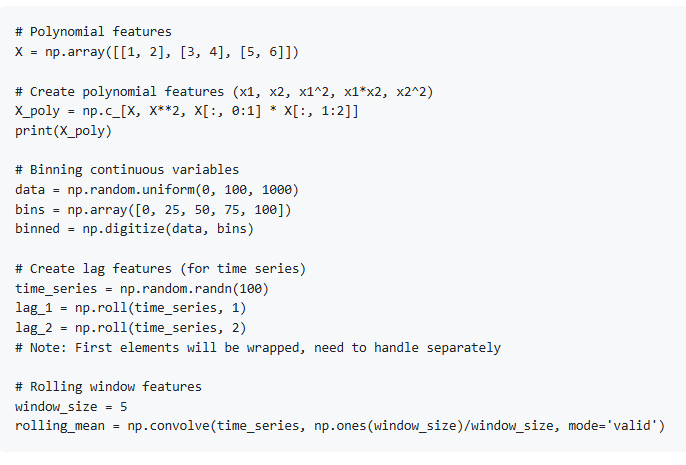
Feature Engineering
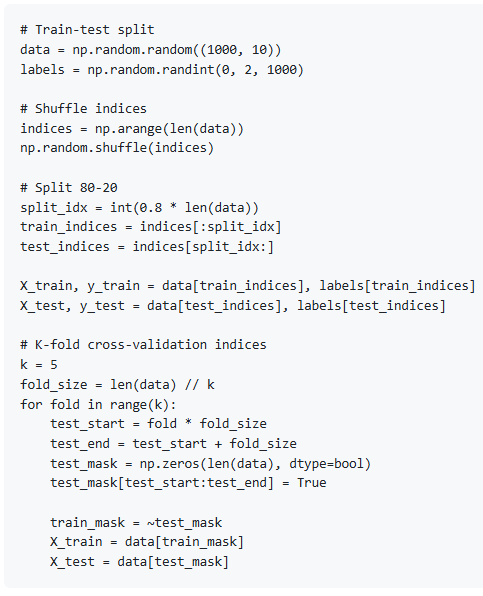
Data Splitting
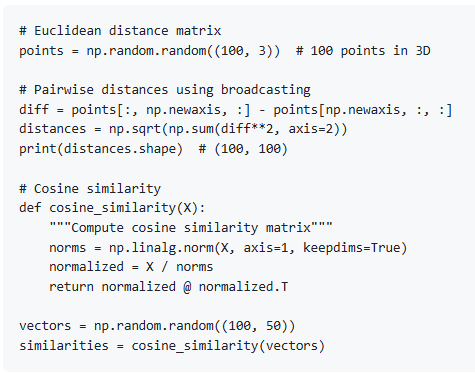
Distance Calculations
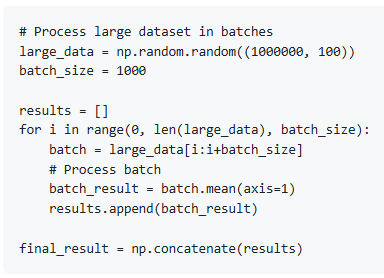
Batch Processing
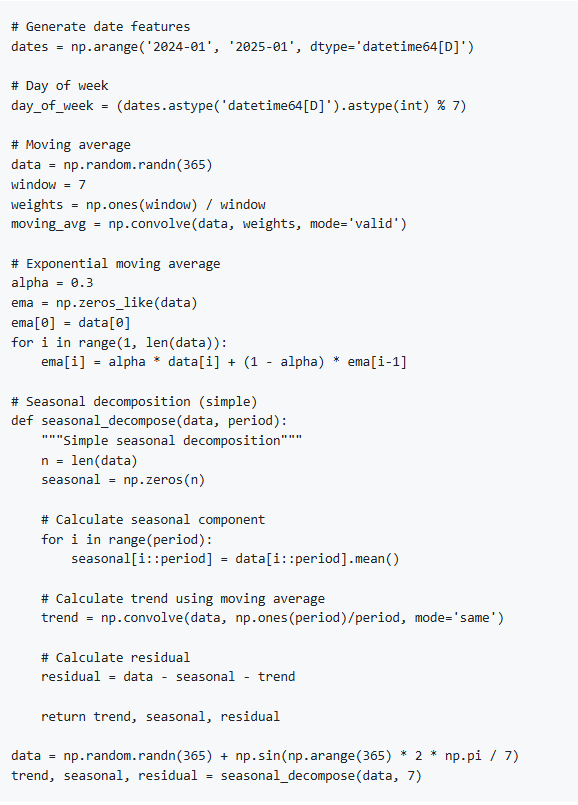
Time Series Operations
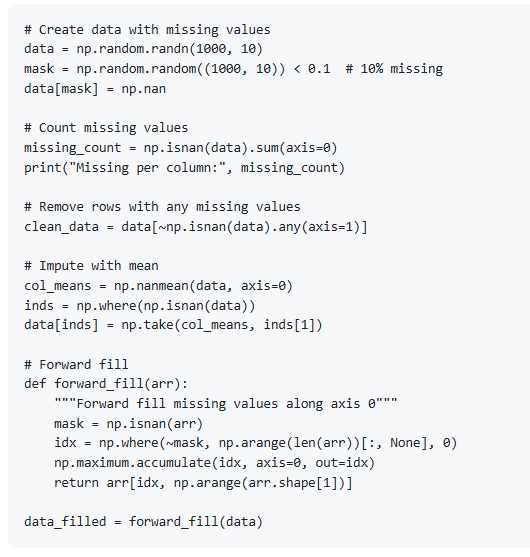
Working with Missing Data
20. Resources
| Category | Resource | Link |
|---|---|---|
| Official Documentation | NumPy Documentation | numpy.org/doc/ |
| NumPy User Guide | numpy.org/doc/stable/user/index.html | |
| NumPy API Reference | numpy.org/doc/stable/reference/index.html | |
| Books | Guide to NumPy by Travis E. Oliphant | Free PDF (NumPy creator) |
| Python for Data Analysis by Wes McKinney | Includes NumPy | |
| NumPy Cookbook by Ivan Idris | Practical recipes | |
| Elegant SciPy by Juan Nunez-Iglesias et al. | Scientific Python | |
| Online Courses | NumPy Tutorial (Official) | numpy.org |
| DataCamp NumPy Courses | www.datacamp.com/ | |
| Kaggle NumPy Course | www.kaggle.com/learn/ | |
| Real Python NumPy Tutorials | realpython.com/tutorials/numpy/ | |
| Practice Resources | 100 NumPy Exercises | github.com/rougier/numpy-100 |
| Kaggle Datasets | www.kaggle.com/datasets | |
| Video Tutorials | Corey Schafer NumPy Tutorial | www.youtube.com/watch?v=GB9ByFAIAH4 |
| freeCodeCamp NumPy Course | www.youtube.com/watch?v=QUT1VHiLmmI | |
| Keith Galli NumPy Tutorial | www.youtube.com/watch?v=8Y0qQEh7dJg | |
| Community | NumPy GitHub | github.com/numpy/numpy |
| Stack Overflow | stackoverflow.com/questions/tagged/numpy | |
| Related Libraries | SciPy | scipy.org/ |
| Pandas | pandas.pydata.org/ | |
| Matplotlib | matplotlib.org/ | |
| scikit-learn | scikit-learn.org/ | |
| TensorFlow/PyTorch | Deep learning libraries | |
| Cheat Sheets | NumPy Cheat Sheet (DataCamp) | www.datacamp.com |
| NumPy Cheat Sheet (Official) | numpy.org | |
| Advanced Topics | NumPy for MATLAB Users | numpy.org |
| NumPy C-API | numpy.org | |
| Writing NumPy Extensions | numpy.org/doc/stable/user/c-info.html |
Summary
This comprehensive NumPy guide covered:
Introduction - What is NumPy and why use it
Installation and Setup - Installing and configuring NumPy
NumPy Arrays - Understanding ndarray, the core data structure
Array Creation - Various methods to create arrays
Array Attributes - Shape, dtype, size, and other properties
Indexing and Slicing - Accessing and modifying array elements
Array Operations - Arithmetic, comparison, and logical operations
Mathematical Functions - Trigonometric, exponential, logarithmic
Array Manipulation - Reshaping, transposing, concatenating, splitting
Broadcasting - Operations on arrays of different shapes
Linear Algebra - Matrix operations, decompositions, solving systems
Random Numbers - Random generation and distributions
Statistical Functions - Mean, median, std, correlation, histogram
Array Iteration - Different ways to iterate over arrays
Sorting and Searching - Sorting, searching, finding unique values
File I/O - Saving and loading arrays from files
Performance and Optimization - Best practices for speed and memory
Best Practices - Code organization, memory management
Data Engineering Use Cases - Practical examples for data engineering
Resources - Books, courses, documentation, community